I know, I know... I'm kind of on the late side. iOS 5 has been out since days ago, and I just started blogging about it. Oh bother... Never mind this. It's now or never!
You know a lot of people just update their iOS5 and ignore all the neat tricks you can do with the iPhone now? I mean,
SIRI? Oh that's just one of the many awesome add-on Apple integrated within the iOS.
Fun Tidbits
Love Siri? Go to this website and laugh your bums out:
There are more to iOS 5 than meets the eyes! I'm definitely impressed at the iPhone 4S, but I'm not getting it.
Why? My stupid-darn-contract with AT&T. I still have
one more year to go. I'm not alone here, I know there are many of you having the same dilemma.
You want it, but
you don't want it or
can't have it!
RANT (you can skip this if you want!):
Yes, I have the iPhone 4- yes, black. Sadly, the screen cracked a few months ago. No, I'm not proud to say this, but it's due to
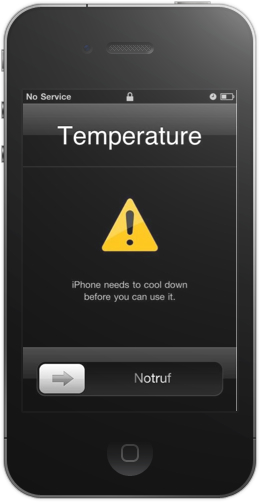
heat. I left my iPhone in the car for 4 hours on July 4th-- yes while I was busy shopping-- and my car was under the hot burning (you can cook an egg- type of heat) for more than 3 hours. I think an animal can die in there. So, I'm assuming I got this (while I was outside busy shopping):
Have you guys ever got this message on your screen? It would need
100 degrees+ condition to be even remotely close to getting this message on your iPhone, or of course if and when your iPhone is
feeling hot after charging, etc...
Okay, I never once can make one of those Apple employees at the store to believe me that the hair-line crack that appeared on my screen is not a possible cause of me being
IRRESPONSIBLE and dropping it. In fact, there is just NO way! My iPhone was sitting on the seat of my car comfortably. It was already cracked when I found it in my car. But what can I say? Truth be told, but no one will believe me. You just can't handle the truth!
Warning: Don't put your iPhone in a situation where it will get cooked.
Alright, I'll get back on track. Getting back on iOS 5 topic! The neaty gritty stuff that you can't find on your little manual book (
well you can... but you're too lazy to open it) Don't worry!
-------
I'll give you the short cut: Pictures!
1) Private Browsing!
Setting > Safari Go on your porn website! Go to your secret blog! Go check out other chicks/guys on your Safari!
NO ONE WILL BE ABLE TO TELL!
I'm kidding. No seriously, it's private for a reason. But please don't do those things I mentioned above.
Sinnnnnnful.
2) Weather by the hour!
Sorry, I actually find this very very helpful. I'd like to see if it will be hot or cold by the time I'll be out. I just want to wear my clothes for the right weather, you know? I don't want to be wearing jeans and boots on a 80 degrees. z0mg.
3) Personalize Your Notifications!
You know how your notifications can be seen on top now? Yeah, you want to see it in the middle or on top, your choice now!
You want people to see your text messages on your lock screen? Then put it in the middle as
alerts. Otherwise, go by
banners. It'll
POOF in a matter of seconds. OR
NONE.
You're some secret spy agent.
4) SWIPE SWIPPPPE! or PINCH!
Did you know? From your camera, you can swipe to see the pictures you've taken-
to Album?
Did you know? You
PINCH and
UNPINCH the screen to
ZOOM/UNZOOM?
5) iMessage Colors!
Green - You have to pay! or if you have the SMS plan, then it's free.
Blue - Yay it's free! to iOS5s exclusive members only. Yeah, just like BBM.
6) Crazy Vibration!
Have you ever wanted to make your vibration cooler than BZZZ BZZZ BZZZ? LOL. Yeah, now you can do it. Go play around with it. It's pretty cool. Apple even gave you PRE-VIBES.
Settings -> General -> Accessibility -> And turn Custom Vibrations -> On
Then:
Settings -> Sounds -> Scroll right to the bottom to Vibration Patterns
7) Wireless Syncing!
Definitely awesome! You don't need to sync using those white cables. Connect with the same Wi-Fi as your computer/mac, voila! Settings -> General -> iTunes WiFi Sync -> Sync Now
8) Twitter!
You don't know how happy I am to see this option being integrated with iPhone! Well, not ecstatic, but happy. This time, you just go to your iPhone Album and click send to Twitter!
9) Photo Editing & New Album
You know one of those days when you realized... all of my pics are so cluttered! Yep, I feel that way. This is by far the greatest organization on iPhone for pictures! duh.
Editing: Just go to the picture and click the edit.
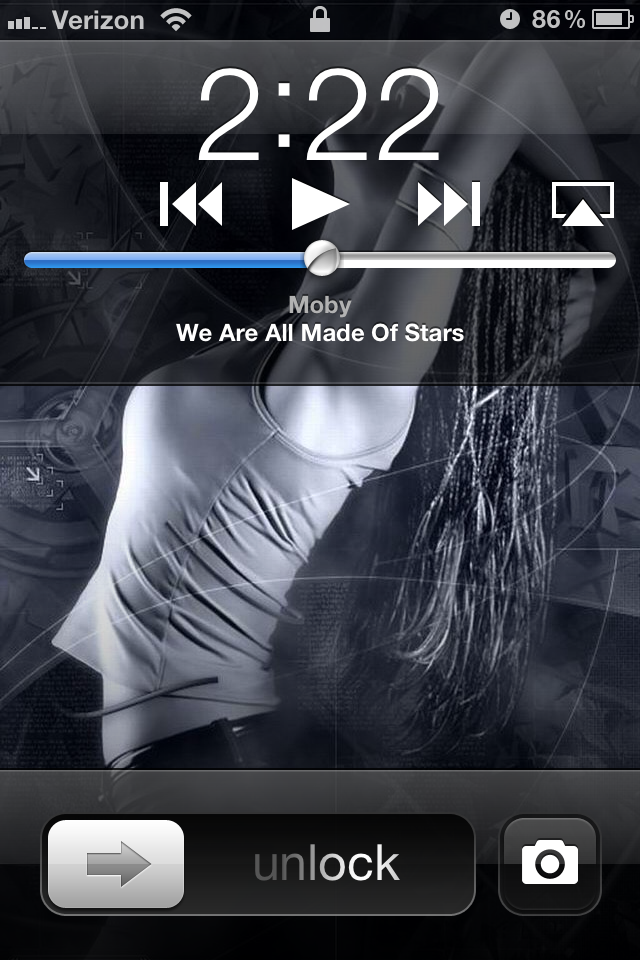
10) Camera Shortcut from Lockscreen!
DOUBLE TAP YOUR HOME BUTTON. Click and you got the picture!
 Lastly, I love the notification center. I love it with a passion. It looks very professional! :)
Play around with your iOS 5!
You'll never know what you might find!
Lastly, I love the notification center. I love it with a passion. It looks very professional! :)
Play around with your iOS 5!
You'll never know what you might find!
Let me know if you guys have any questions.
Pictures are all taken from their rightful owners and none of them are mine. Thank you!
 |
| konayukiss.blogspot.com |